Blog

A “blog,” short for “weblog,” is an online platform where individuals, organizations, or businesses regularly publish written content in a chronological order. These posts, often written in an informal and conversational style, cover a wide range of topics, including personal experiences, hobbies, news, opinions, and expertise in various fields. Blogs provide a means for authors, known as bloggers, to share information, express their thoughts, and engage with a readership through comments and discussions. Blogs can serve as a creative outlet, a marketing tool, or a source of information and entertainment. They have become an essential part of the digital landscape, with many blogs addressing niche interests and contributing to the dissemination of information and ideas on the internet.

cicd
Blog

Automate Deployments with CI/CD for Your CMS

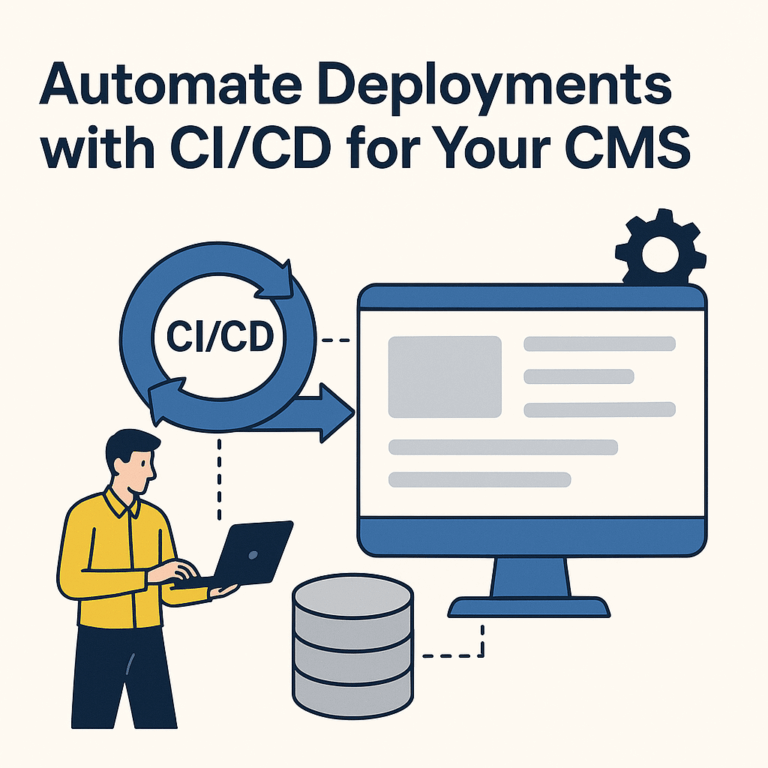
CI/CD for CMS: Automate Deployment & Boost Performance CI/CD for CMS is a powerful practice that automates how content management systems like WordPress and Drupal are developed, tested, and deployed. In this guide, you’ll learn how to set up a CI/CD pipeline, the benefits for CMS platforms, and which tools can make your deployment faster, safer, and error-free. What is CI/CD? CI/CD stands for Continuous Integration and Continuous Delivery or Deployment. It automates the entire software lifecycle—from code commit to production deployment. With CI/CD, developers merge code into a central repository where automated builds and tests run to ensure everything works as expected. Benefits of CI/CD for CMS Higher Quality Control: Automated testing ensures all code changes are verified before going live, reducing bugs and regressions. Faster Deployment Times: Code changes are tested and deployed quickly with minimal human intervention. Reduced Risk: Continuous testing detects issues early, and rollbacks are faster and safer. Overview of Popular CMS Choosing the right CMS is the foundation for

Read More »

Tackle Reach & Performance: Content Distribution Strategies That’ll Hit Your Audience

Content Distribution Strategies That’ll Hit Your Audience Content distribution strategies are essential for any business aiming to connect with its audience. Reaching the right people with the right content helps you maximize your marketing efforts. In this guide, we’ll explore how to create an effective content distribution strategy—from identifying your audience to tracking your campaign’s performance. Understanding Your Audience The first step is knowing who your target audience is. Go beyond basic demographics. Learn about their interests, behaviors, and motivations. This information helps you choose the most effective platforms for distribution. Evaluating Your Content Next, review your content. Ask yourself: Is it relevant and valuable to your audience? Does it reflect their preferences? How does it stand out from similar content? What unique value does it offer? Improving the quality of your content increases its chances of success during distribution. Choosing the Right Distribution Channels After evaluating your content, select your distribution channels. Will you use social media, paid ads, or both? Each platform has

Read More »
content-ai-content-for-business
Blog

Unlock the Potential of AI-Powered Content Generation

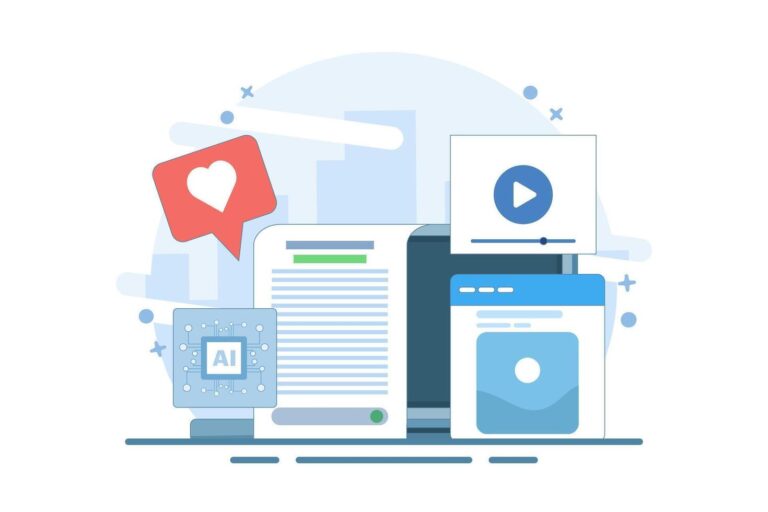
AI-Powered Content Generation Introduction: What Is AI-Powered Content Generation? AI-powered content generation refers to the use of artificial intelligence (AI) technologies to create tailored content from vast data sets. By leveraging tools such as natural language processing (NLP), machine learning, and computational linguistics, businesses can produce content more accurately and with less manual effort. The process typically begins with raw data—either structured or unstructured—which is then transformed into meaningful content based on a predefined set of rules. The flexibility of AI-generated content allows it to be used across multiple platforms, including websites, social media, blogs, and digital advertisements. This technology enables businesses to expand their reach and deliver personalized messaging to their audiences more efficiently. As a result, it saves time, reduces costs, and enhances overall productivity in content creation. Most importantly, AI solutions scale effortlessly to meet growing content demands. In short, AI-powered content generation offers a revolutionary way for organizations to create accurate, relevant, and targeted content faster than ever before by harnessing

Read More »
AI Content Management
Blog

Unlock Intelligent Content Suggestions with AI Assistants

Introduction to Content AI Assistants AI assistants are an emerging technology in the digital world that allow businesses and consumers to utilize intelligent software for tasks such as content recommendation. These tools help automate workflows, boost productivity, and provide personalized content for users. Content AI assistants rely on artificial intelligence (AI) algorithms that learn from interactions with data sets and users. As a result, they become more knowledgeable and effective over time. Initially, AI assistant applications started as simplistic mobile applications. However, they have rapidly evolved into complex tools that enable intelligent content recommendations. This guide explores various aspects of content AI assistants, including their functionality and benefits, different types, technologies involved, core components, and how they make intelligent recommendations. These assistants help businesses and individuals save time by automating tedious tasks and providing accurate content suggestions. They also reduce costs by eliminating the need for manual labor or expensive software. In addition, AI assistants can offer personalized experiences by understanding user preferences and delivering

Read More »
user-roles-and-permissions
Blog

Master Managing User Roles and Permissions with a CMS Solution

Managing User Roles and Permissions in a CMS Solution Introduction to Managing User Roles and Permissions in a CMS Solution A content management system (CMS) is a powerful way to manage digital content for your website, blog, or online platform. It enables you to create, publish, and distribute content efficiently. However, managing user roles and permissions within a CMS can be a complex task. Properly managing user roles and permissions ensures content security and that only the right people can access specific features. This guide explores the fundamentals of managing user roles and permissions in a CMS, including defining access levels, assigning roles, and setting up workflows. Defining User Roles and Access Levels Clearly defining each user role and their access level is essential. This allows control over who can view, edit, or delete content on your website. Each role should include guidelines outlining responsibilities and access limitations. Granular access management means different permission sets can be assigned to users or groups for specific areas.

Read More »
traditional and headless
Blog

Unlock the Benefits of Headless CMS vs Traditional CMS

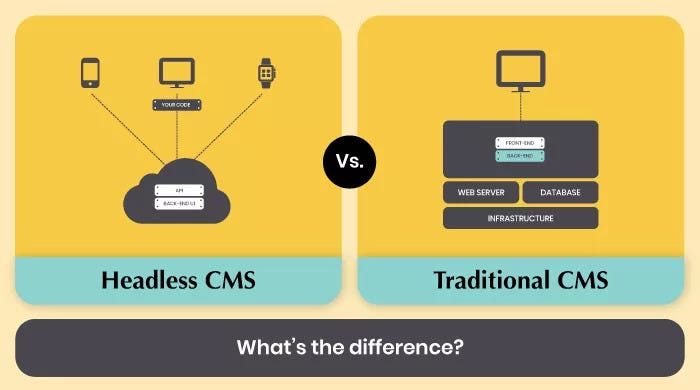
Headless CMS vs Traditional CMS Explore the key differences, benefits, and considerations when choosing between Headless and Traditional CMS solutions for your business. Introduction to Headless CMS vs Traditional CMS Headless CMS and traditional CMS systems are two distinct approaches for managing, creating, and delivering content. While both systems share similar objectives, they differ in how they serve content. Depending on your goals and requirements, one system may be more suitable than the other. In this introduction, we’ll provide a brief overview of each system, and explain the key differences between them. We’ll also take a look at the advantages and disadvantages of both approaches in order to help you determine which one is right for you. Brief Overview: What is a Traditional CMS? A traditional Content Management System is a comprehensive system that is used for creating, editing, and delivering content. This system typically consists of an integrated suite of tools for publishing, hosting, and organizing digital media like text, images, audio, and video.

Read More »