
Custom Real Estate Brokerage Software: CRM, MLS Integrations, and Agent Workflows Explained
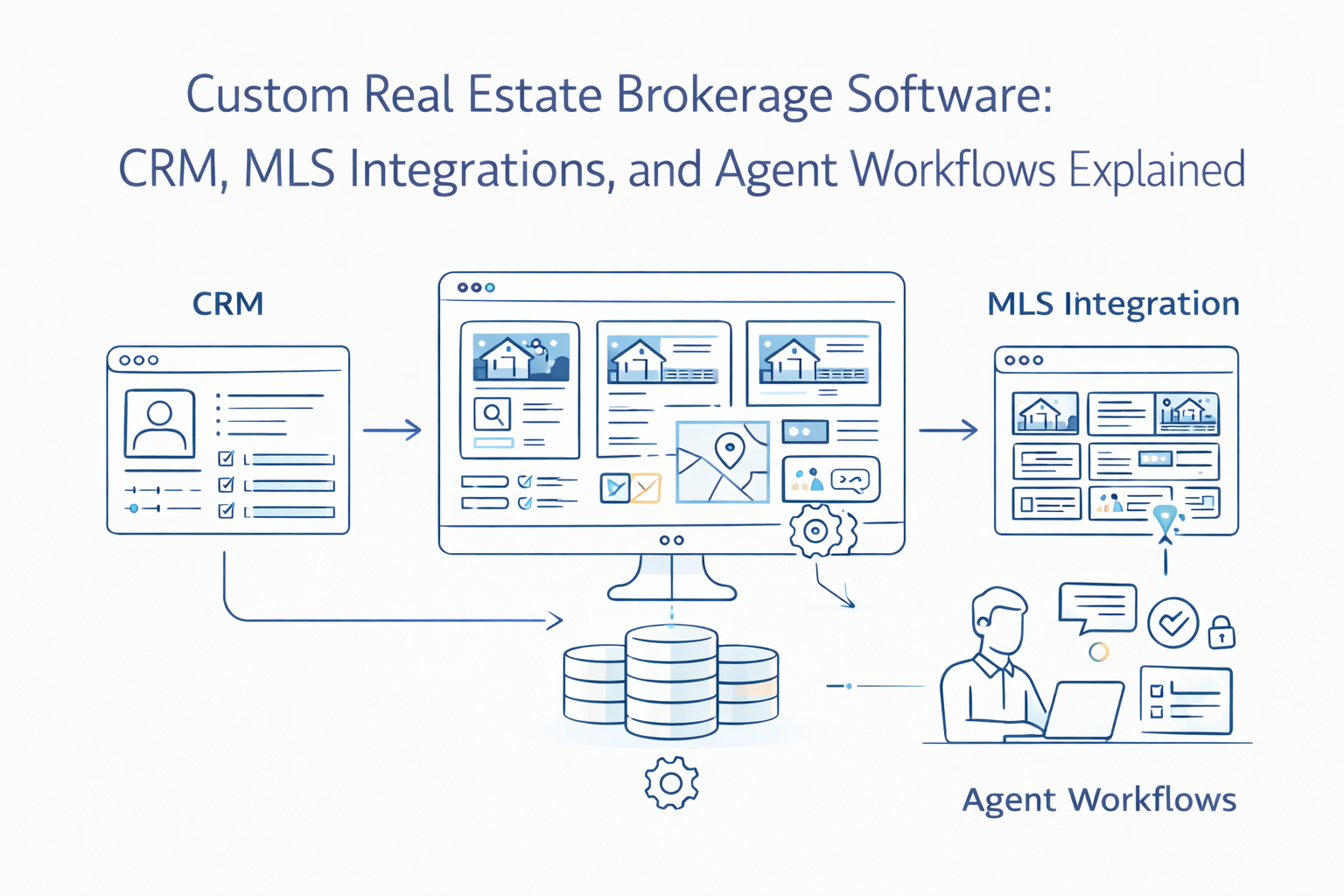
Most brokerage software projects start the same way. Someone at the leadership level gets frustrated — leads are falling through cracks, agents are working out of three different tools, and the reporting dashboard shows numbers that no one fully trusts. So they go looking for software. They evaluate a few off-the-shelf CRMs, find that none of them quite fit, and eventually decide to build something custom.
That decision is usually the right one. But “build a custom brokerage CRM” is not a project. It’s a category. What you actually need to build depends entirely on how your brokerage operates - how leads come in, how agents are structured, how you handle MLS sync, how commissions are calculated, and where the manual work is quietly eating time every day.
This post breaks down what real estate brokerage software actually needs to do, where the architectural decisions matter, and what we’ve seen go wrong when brokerages build without thinking through the operational edge cases first.
Why Generic CRMs Don’t Work for Brokerages at Scale
There’s a version of this conversation we’ve had dozens of times. A brokerage is running 500 - 1,000 transactions a year, their agents are using a mix of Salesforce, spreadsheets, and their own notes apps, and leadership wants a single system. They try HubSpot or a real estate-adjacent CRM like Follow Up Boss or kvCORE. It works for a year, maybe two. Then it starts to creak.
The problem isn’t that those tools are bad. The problem is that a brokerage’s operations are fundamentally different from a standard sales pipeline. You have agents who are independent contractors behaving like employees. You have listings that live in MLS systems and need to sync without fail. You have commission structures that can involve splits, referral fees, team overrides, and franchise deductions - sometimes all in a single transaction. And you have compliance obligations that mean you need a full audit trail on every document and communication.
Generic CRMs were built for sales teams. Brokerages need something closer to an operations platform that happens to have a CRM at its core.
Agent Onboarding and Access Control
The first place real estate brokerage software needs to get right is agent onboarding. It sounds administrative, but it’s the foundation of everything else.
When an agent joins, you’re not just creating an account. You’re defining their role within the brokerage’s data model - their team structure, their split tier, which MLS boards they’re licensed in, which zip codes or regions they operate in, and which marketing tools they’re authorized to use. If that’s done manually or inconsistently, every downstream process - lead routing, commission calculation, reporting - inherits that inconsistency.
Good brokerage software handles onboarding through a structured workflow: license verification, agreement signing (DocuSign or a native e-signature integration), team assignment, MLS credential setup, and access provisioning - all in sequence, with no step completing until the prior one is confirmed. We typically build this as a state machine, because the number of conditional paths (agent with a team vs solo agent, licensed in one board vs three, full-time vs referral-only) makes a linear form completely unworkable.
Access control matters more here than in most software categories. An agent should see their own pipeline and nothing else by default. A team lead should see their team’s pipeline. A manager should see everything within their office. Brokers and admins get global access. These aren’t just UI filters - they need to be enforced at the data layer, especially if you’re building multi-office or multi-market brokerages where data isolation between teams is a legal and competitive concern.
Lead Routing: The Logic That Makes or Breaks Agent Performance
Lead routing is where most brokerage CRMs quietly fail. The routing rules look simple on a whiteboard: new leads come in, get assigned to an available agent, and the agent follows up. In practice, the routing logic is often the most business-specific part of the entire platform.
Routing rules in a real brokerage typically involve some combination of: geographic assignment (this lead came in for a listing in zip code X, route to the agent who covers that area), round-robin distribution across a team, priority routing to high-tier agents during business hours, overflow to a backup agent after N minutes of non-response, lead source weighting (leads from Zillow go to the agent who paid for that territory, leads from the brokerage website get distributed differently), and reassignment if the agent hasn’t responded within a defined SLA.
If you try to encode all of that in a generic CRM’s workflow builder, you’ll hit its limits fast. We build routing engines as separate, configurable services - a set of rules stored in the database that the brokerage admin can edit without requiring a developer. The routing engine evaluates each new lead against the current rule set, logs the assignment decision with the reasoning, and fires the notification to the assigned agent. That log matters: when a high-value lead is misrouted or goes cold, you need to know exactly what happened.
The SLA piece is particularly important. A lead that waits 10 minutes in real estate is a lead that’s already called your competitor. Routing should happen within seconds, and the follow-up prompt to the agent should happen immediately. If the agent doesn’t respond within 5 minutes, the system should escalate - either to a second agent or to a manager - automatically. This isn’t complex to build, but it requires the brokerage to actually define their SLAs, which many haven’t done explicitly before going into a software project.
MLS Sync: Getting It Right From the Start
MLS integration is the technical heart of any real estate brokerage platform. Get it wrong, and everything downstream suffers - listings go stale, agents lose trust in the system, and buyers see data that doesn’t match reality.
Most MLS boards today support the RESO Web API, which is a standardized REST API with consistent field naming and data structures. Some legacy boards still use RETS (Real Estate Transaction Standard), which is XML-based, older, and far more painful to work with. If you’re building a new brokerage platform and you’re lucky enough to be working exclusively with boards that have migrated to RESO Web API, your life is meaningfully simpler. If you’re in a market where your agents operate across multiple boards - some RESO, some legacy RETS - you need an abstraction layer that normalizes the data before it hits your application.
For brokerage software specifically (as opposed to consumer-facing marketplaces), the integration pattern we typically use is agent-credentialed sync rather than brokerage-level access. Each agent’s MLS credentials authenticate separately, which respects the access permissions that MLS boards grant by license tier. An agent with IDX access sees a different dataset than an agent with VOW access, and your system needs to respect that distinction or you risk MLS compliance issues.
Sync frequency is a real decision with real tradeoffs. RESO Web API supports webhooks for real-time updates on some boards, but many boards don’t offer them - they support polling only, with rate limits that vary widely. CRMLS, one of the largest boards in the country, has rate limiting policies that will block you if you poll too aggressively. A brokerage syncing 20,000+ active listings across three boards needs a job queue architecture - asynchronous workers processing MLS updates in the background, with retry logic, circuit breakers for when a board goes down, and monitoring that alerts you when imports start failing silently.
We cover the architectural depth of MLS integration in detail in our guide to RESO-compliant integrations - but for brokerage CRM purposes, the key design principle is this: MLS sync must never block the user-facing application. If CRMLS has an outage at 9am on a Tuesday, your agents should still be able to work their pipelines. The sync layer and the operational CRM layer need to be fully decoupled.
Pipeline Visibility and Transaction Management
Once a lead converts and becomes an active transaction, the CRM needs to shift from sales tool to transaction management platform. This is a different set of features than lead routing and follow-up, and it’s where a lot of brokerage software underinvests.
A transaction in a brokerage has a defined lifecycle: offer submitted, offer accepted, inspection period, contingencies, title and escrow, closing, post-close. Each stage has tasks, deadlines, documents, and people involved - the agent, the client, the lender, the title company, the inspector. The software needs to track all of that without requiring the agent to manually update five different fields every time something changes.
The pattern we use is task templates linked to stage transitions. When a transaction moves to “Under Contract,” a pre-built checklist of tasks fires automatically - schedule inspection, collect disclosure documents, confirm lender contact, etc. - with deadlines calculated from the contract date. This isn’t glamorous, but for a brokerage doing hundreds of transactions, it’s the difference between agents who feel supported and agents who miss deadlines because they were managing it mentally.
Document management inside the transaction record is non-negotiable. Every brokerage has compliance requirements - state licensing boards require that certain documents be stored and retrievable for a defined period. Your transaction record needs to be the authoritative home for every signed document, with version history and audit logs. Integrations with DocuSign or Dotloop are standard here; building native e-signature is usually not worth the effort unless you have very specific compliance requirements.
Commission Tracking: Where Custom Always Wins
Commission calculation is the single feature where generic CRMs fail brokerages most completely. And it’s understandable - commission structures in real estate are genuinely complex.
A single transaction commission might involve: a gross commission split between buy-side and sell-side, an agent split against their team lead, a team override going to the team, a transaction fee to the brokerage, a referral fee paid out to a referring agent, a royalty or franchise fee, and a cap adjustment if the agent has hit their annual cap. That’s not an unusual transaction - that’s a normal Tuesday at a mid-sized brokerage.
Trying to configure that in a general-purpose CRM is a losing battle. We build commission engines as dedicated modules with brokerage-defined split plans. Each agent or team is associated with a split plan in the system. When a transaction closes, the agent enters the gross commission, and the system calculates the full disbursement breakdown automatically - agent net, team amounts, brokerage fees, referral payouts. The broker or admin reviews and approves, and the system generates the commission disbursement authorization (CDA) document.
The reporting layer on top of this matters as much as the calculation. Brokers need to see agent production in real time - GCI, units, average sales price, commission earned vs commission cap remaining - and they need to see it by agent, by team, by office, and by time period. Agents need to see their own numbers clearly, including their progress toward their annual cap. Building this reporting into the CRM, pulling from the same commission data rather than a separate spreadsheet, is what makes the system actually trustworthy.
Mobile-First Workflows for Agents in the Field
Agents don’t work at desks. They’re in their cars, at listing appointments, at showings, at open houses. Any brokerage CRM that isn’t fully functional on a phone isn’t fully functional, full stop.
The mobile experience needs to prioritize the things agents actually do in the field: checking their lead queue and responding immediately, pulling up a listing’s details before a showing, logging a showing note or call outcome with one tap, getting a push notification when a new lead is assigned and responding directly from the notification. These aren’t features you can bolt on after building a desktop-first system - they require designing the core data model and navigation around mobile use cases from the start.
This also means keeping the mobile UI radically simple. An agent at a showing doesn’t want to navigate five screens to log a note. The action that matters most - whatever that is for a given user type - should be reachable in one or two taps. We use progressive disclosure heavily in brokerage mobile apps: the primary view is clean and minimal, with the detailed transaction information behind a tap, not in the primary view.
Marketing Tool Integrations
A brokerage CRM doesn’t exist in isolation. Leads are coming from Zillow, Realtor.com, the brokerage website, Facebook lead ads, Google, and referrals. Marketing automation tools like Mailchimp, ActiveCampaign, or BombBomb are handling drip campaigns. The CRM needs to be the central system that receives data from all of these sources and makes the agent’s job easier - not another tool that agents have to manually update in parallel.
The integrations that consistently matter most for brokerages are: lead source APIs (Zillow and Realtor.com both have lead submission APIs that push directly to your system), email automation (two-way sync so that replies from leads are captured in the CRM contact record), and text/SMS platforms (agents communicate with buyers heavily over text; that history should be in the deal record, not just on an agent’s phone).
The integration principle we follow is “CRM as the system of record.” Every other tool feeds data into the CRM, not the other way around. The moment agents start maintaining information in two systems simultaneously, the CRM becomes useless.
Where Brokerage Software Projects Go Wrong
The most common failure mode we see is scope expansion during build. The brokerage starts with a clear brief - CRM, MLS sync, commissions - and then, three months in, someone realizes they also want a recruiting pipeline, a training module, a listing marketing tool, and a client-facing portal. Each of those is a legitimate need. But adding them mid-build without replanning the architecture is how you end up with software that does twelve things poorly instead of four things well.
The second failure mode is underestimating the MLS integration complexity. Brokerages often assume MLS sync is a solved problem because other tools have done it. What they don’t see is that every custom integration is unique to the specific boards you’re working with, the access tier your agents have, and the data fields your business logic actually needs. A brokerage operating in three states might be dealing with 10+ MLS boards, each with different API implementations, field naming conventions, and status codes for property types.
The third is building commissions as an afterthought. It gets treated as “just a calculation” and gets scoped at the end of the project. Then the brokerage tries to configure their actual split plans and realizes the data model can’t support their structure. Commission engine design needs to happen in discovery, before a single line of code is written.
Building vs Buying: The Honest Take
Off-the-shelf brokerage tools - kvCORE, BoomTown, Chime, LionDesk - work well for brokerages that fit their assumptions. If your commission structure is straightforward, your agents operate in a single MLS market, and you don’t need deep integrations with internal systems, buying is probably the right call.
Custom real estate brokerage software makes sense when: your commission structures are too complex for any existing tool to handle accurately, you operate across multiple MLS markets with different data models, you need to integrate deeply with proprietary internal systems (asset management, accounting, custom investor portals), or you’re at a scale where the licensing cost of off-the-shelf tools has become a significant line item.
It also makes sense if differentiation matters. If your brokerage’s competitive edge is operational efficiency - faster lead response, better agent support, cleaner reporting - that’s a technology advantage, and it’s worth building.
If you’re leading a brokerage that’s outgrown its current tools and you’re trying to figure out whether the right move is to configure something existing more aggressively or build something purpose-built, we’ve had that exact conversation with brokerages doing 200 transactions a year and brokerages doing 2,000. The answer is different every time and it starts with understanding where your current system is actually costing you - in lost leads, in agent time, in commission errors, or in management visibility. Let’s talk through where the gaps are.
Related Reading
- Custom Real Estate Software vs Off-the-Shelf Tools: When to Build, Buy, or Hybridize
- Fixing MLS Data Chaos: How to Design RESO-Compliant Real Estate Integrations
- How to Choose a Real Estate Software Development Partner: A Checklist for Founders and Operators
Building a real estate platform?
From MLS integrations to investor portals, we've shipped the systems real estate operators actually run on.
Platform architecture, data pipelines, and delivery.
Discuss your platformA technical conversation, not a sales pitch.