
Master Content Syndication and Integration With an API-first CMS

What Is an API-first CMS? Introduction and Key Concepts
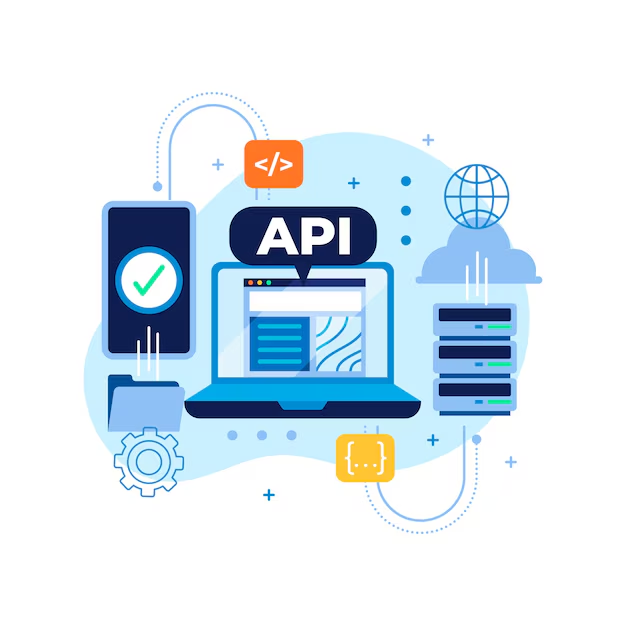
An API-first CMS is an innovative way to manage content for websites and applications. Its primary feature is the use of application programming interfaces (API) to access and share data across multiple platforms. This type of content management system creates efficiency by minimizing the amount of manual coding and development needed.
At its core, an API-first CMS makes it easier to integrate with other services and platforms such as websites, mobile apps, and analytics tools. It enables content to be consumed and distributed in different formats depending on the situation. For example, it is possible to display a web page as a PDF file, or share blog posts on social media. An API-first CMS also supports syndication of content, which means it can be automatically shared on multiple websites or applications.
An API-first CMS is especially helpful to marketers who are managing a lot of content. Instead of manually uploading content to multiple locations, they can create it once and have it automatically sent to various platforms. Additionally, APIs provide developers with the ability to customize the content management system to fit their unique needs.
One of the most important benefits of implementing an API-first CMS is scalability. Content can be quickly and easily accessed and manipulated from any number of sources, which simplifies the process of rolling out new features or updating content. This flexibility also makes it easier to experiment with new ideas without worrying about compatibility issues.
Historical Overview: The Evolution of APIs
APIs (Application Programming Interfaces) have become ubiquitous in contemporary computing. API technology enables efficient communication between applications, allowing them to seamlessly share data and functionality. As such, they have become instrumental in enabling innovation and powering the modern economy.
Despite their growing importance, the origins of APIs are surprisingly humble. In fact, the first API was created decades ago during the earliest days of computer science. At the time, APIs were used primarily for communications between different software components and to enable more complex programming tasks.
In the years since, however, the scope and capability of APIs has expanded significantly. Over time, APIs have evolved from enabling basic communications to providing more sophisticated functionality that can be accessed remotely. This includes features such as real-time access to data, integration of third-party services, and automated processes.
Today’s APIs allow developers to quickly and easily build and deploy powerful applications. By leveraging APIs, software developers can rapidly design and launch a wide range of innovative apps without having to reinvent the wheel each time. In addition, APIs make it possible for developers to create networked applications that leverage the combined power of multiple services.
As such, APIs have become an essential part of web and mobile environments as they allow developers to rapidly iterate and deploy applications. As technology continues to evolve, it is likely that APIs will remain an important part of the software development landscape.
Step-by-Step Guide: How to Set Up an API-first CMS
Setting up an API-first CMS can seem daunting, but it doesn’t have to be. With these seven simple steps, you can have your API-first CMS up and running in no time.
So let’s get started.
Step One: Deciding on Your Content Model
The first step in setting up your CMS is deciding upon a content model. In other words, what type of content do you want to store and syndicate inside the CMS. You need to have a plan on how you want to structure your content, from what attributes will be included in each content type, to how you are going to group them, and overall how they are going to be organized.
Step Two: Defining Content Types & Data Structures
Next, you’ll need to define the set of content types and data structures that you will be using. This includes both the content types that you are publishing from within your CMS, as well as any external content sources that will be integrated into the system. You’ll also need to set up any additional metadata, such as SEO meta tags, that you want the content to include.
Step Three: Connecting to Your Backend System
Once you have decided on your content model, the next step is to connect your API-first CMS to your backend system. Many CMSs have built-in integrations for popular backend systems such as WordPress or Drupal, making it easy to connect to these platforms. You can also use APIs to connect the CMS to any other custom or legacy system.
Step Four: Establishing a Content Delivery Network (CDN)
After connecting your CMS to your backend system, you’ll need to establish a content delivery network. This will ensure that your content is delivered quickly and reliably to users. There are several options for establishing a CDN, such as Cloudflare, Akamai, or Amazon Cloudfront. You’ll need to choose a platform that can meet the needs of your particular CMS.
Step Five: Connecting to Your Frontend Systems
The next step is to connect your API-first CMS to the frontend systems where the content will be displayed. This could include web pages, mobile apps, or any other type of application. Again, there are several options available depending on the type of application you are building.
Step Six: Ensuring Security & Compliance
Once the content is up and running, it’s time to ensure security and compliance. This means configuring data security features such as encryption, authentication, and authorization. You may also need to configure features to comply with data privacy regulations such as GDPR or CCPA. These features will help protect your data and keep your content secure.
Step Seven: Setting Up Analytics & Reporting
The final step is to set up analytics and reporting so that you can measure the performance of your content. This could include setting up Google Analytics, web performance monitoring, or any other type of measurement tool. This will help you understand how your content is performing, and where improvements could be made.
And that’s it — you are now ready to start publishing content with your API-first CMS. Following these seven steps will help you get your CMS up and running in no time.
Breaking Down the Different Components of an API-first CMS
An API-first CMS is a powerful tool for enabling content syndication and integration. It’s composed of a number of components, each of which fulfills an essential purpose. Here, we’ll break down the different components of an API-first CMS so that you can better understand how they work together.
At its core, an API-first CMS runs on an application programming interface (API). API stands for “application programming interface,” and it acts as a conduit between software applications. In this case, the API powers the exchange of content between the CMS and other services.
The CMS also includes a content management system (CMS) and a database. The CMS helps manage all the content stored in the database, including text, images, keywords, and more. The database stores all the content created or uploaded to the API-first CMS. Content creators and editors use the CMS to add, delete, or modify content in the database.
Last but not least, the API-first CMS contains a user-facing platform. This platform serves as a link between the CMS and the rest of the web. It displays the content from the database, provides access to content syndication features, and allows for integration with other systems.
When all of these components work together, they create an effective platform for content syndication and integration. This makes it much easier to share and update content across multiple platforms and websites quickly and efficiently.
Examining Different Options for Content Syndication & Integration
Content syndication and integration are critical components of any content strategy. An API-first CMS enables content syndication and integration, allowing content to be distributed across multiple platforms and integrated with other third-party tools.
Content syndication refers to the process of distributing content from one platform or source to another. This means that the same piece of content can be shared across multiple channels, increasing its reach and visibility. For example, you could write an article on your website and then share it to social media platforms like Facebook, Twitter, LinkedIn, etc.
Integration, on the other hand, refers to the ability to sync data from one platform to another. This is especially useful for automating processes and streamlining workflows. With an API-first CMS, you can easily connect with and integrate other third-party services such as CRMs and email marketing platforms.
The key benefits of content syndication and integration include: increased brand recognition, better visibility, higher engagement levels, improved user experience, and cost savings. Content syndication also helps to generate more leads and build stronger relationships with customers.
When selecting an API-first CMS, it is important to consider its capabilities in terms of content syndication and integration. Does the platform offer a wide range of syndication options? Is it easy to set up integrations with third-party services? These are all important questions to ask in order to ensure that you get the most benefit out of your CMS.
Related Reading
- Master CMS Transitions: Strategies for Content Migration
- Master Content Collaboration and Workflow: Streamline Creation
- Accelerate Content Delivery: Introduction to CDNs
Planning a content platform?
Headless, traditional, or custom — we help teams pick and build the CMS architecture that fits how they actually work.
CMS strategy, architecture, and implementation.
Discuss your CMSA technical conversation, not a sales pitch.