
Unlock the Benefits of Integrating Third-Party Services into a CMS
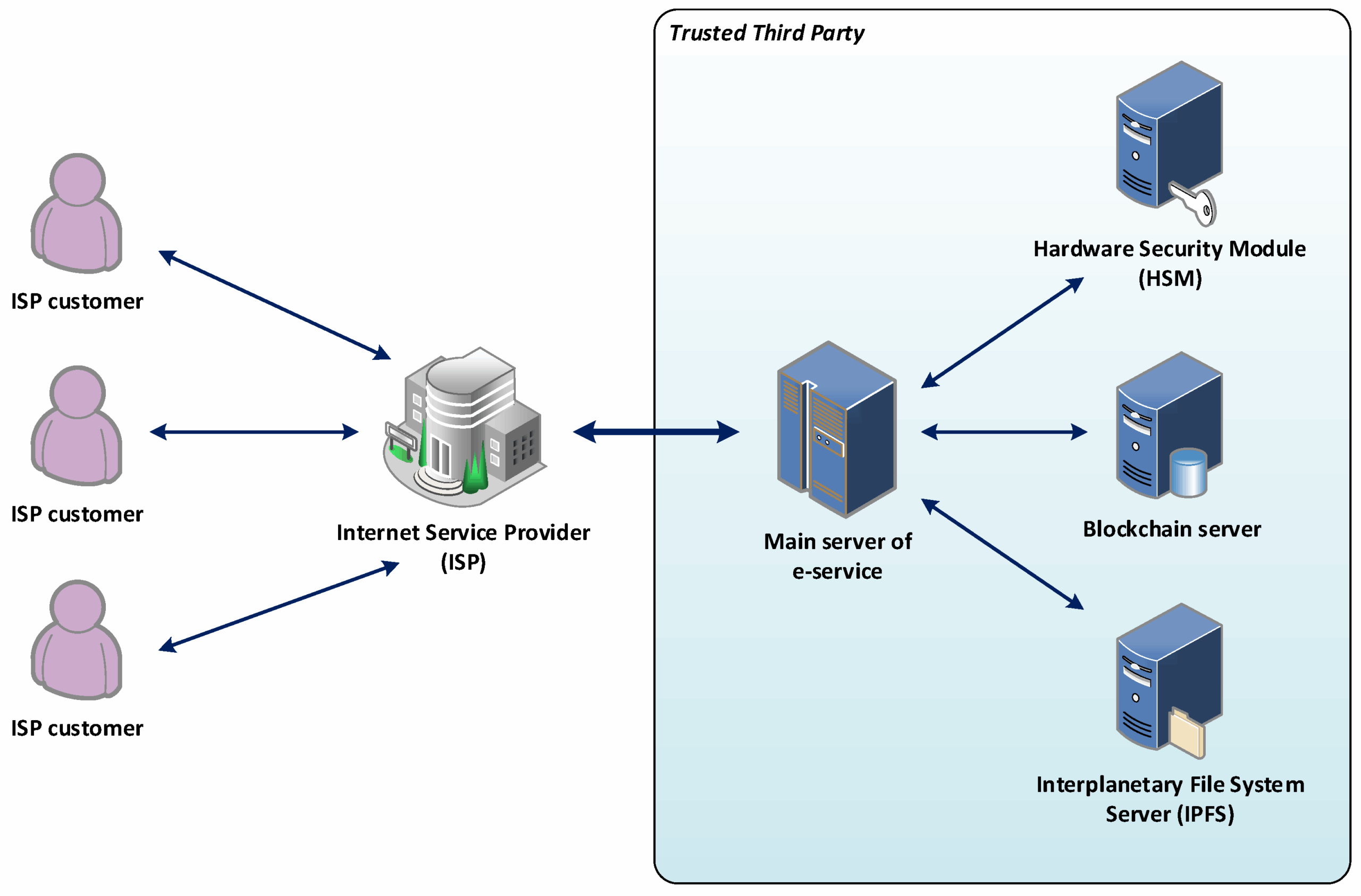
Integrating Third-Party Services and APIs into a CMS
Integrating third-party services and APIs into a content management system (CMS) means connecting external programs and applications with your CMS. This integration helps you access useful functions, services, and data from outside sources. It is essential for improving how you manage your website.
There are many advantages to this process. With the right integrations, you can add features that your CMS doesn’t support by default—like enhanced analytics, automation tools, or social media connections. For instance, you can integrate social media platforms to post content directly from your CMS.
These services also improve your website’s security. By blocking unauthorized access and detecting malicious activities, they help protect your site. You also gain more control over who can access sensitive data.
Another benefit is improved customization. You can tailor the design, structure, and features of your website more easily by connecting external apps.
However, the integration process can be complex. It’s crucial to evaluate the benefits, understand access controls, and apply a secure permission model. If handled poorly, it could compromise your site’s security.
In summary, integrating third-party services and APIs can greatly enhance your CMS capabilities. But be sure to plan and secure the process thoroughly for the best results.
Overview of Popular Content Management Systems
Content Management Systems (CMS) help you manage and publish digital content. They’re popular because they make website creation easier, and they help maintain content securely and efficiently.
You’ll typically choose between open-source and proprietary CMS platforms. Open-source CMS like WordPress, Joomla, and Drupal are free and customizable. Proprietary CMS like Adobe Experience Manager and Sitecore offer advanced features but come with licensing fees.
Each CMS has different features. Look for content creation tools, user management, media support, design flexibility, and plugin options when choosing one.
When planning third-party integrations, keep in mind that different CMS platforms offer different levels of support and ease of integration. Choose the one that best aligns with your goals and technical needs.
Identifying the Best CMS for Integrating Third-Party Services
To keep up with modern web technology, it’s important to select a CMS that can integrate third-party services and APIs smoothly.
Consider the architecture, flexibility, scalability, and compatibility with APIs. If you plan to use multiple services, your CMS must support diverse integrations.
Cost is also a factor. Free CMS platforms might have limitations, while premium CMS options offer more integrations but at a higher price. Choose one that fits both your budget and functional needs.
Compare platforms thoroughly before choosing one for your integration goals.
Understanding the Benefits and Limitations of Integrating Third-Party Services
Integrating external APIs can add new features and make use of modern technology, but it’s important to consider both pros and cons.
Benefits include extended functionality, cost savings, and access to premium services. However, there are risks related to security, privacy, and dependency on external service providers.
You must also evaluate legal terms, support options, and future availability of services. Make sure your data is secure and you have reliable fallback plans.
Exploring Convenient and Quick Ways to Integrate Third-Party Services
There are simple ways to connect third-party services to your CMS:
- Use plugins or extensions to quickly add new functions like SEO tools, payment gateways, and social sharing.
- Leverage existing APIs like Stripe or Google Maps for easy integration.
- Consider headless CMS platforms for flexible and highly customized integrations.
These methods help speed up the process and simplify complex projects.
Analyzing the Pros and Cons of Using APIs
Pros of Using APIs
- Quick access to external services
- Enhance CMS features
- Create automation workflows
- Leverage stable, proven third-party platforms
Cons of Using APIs
- Possible performance slowdowns
- Ongoing service fees for premium APIs
- Risk of downtime if the API provider fails
- Vulnerability to changes in API structure or terms
Consider these carefully before deciding to rely on APIs for critical functionality.
Securing Access to the Third-Party Services
Security should be a top priority when connecting external services. Start by securing user accounts with unique credentials and role-based permissions.
Implement encryption and token-based authentication to protect data during transfers. Use data masking tools to limit exposure of sensitive information.
These strategies reduce risks and improve compliance with privacy standards.
Implementing Authentication Methods for Secure Access
Choose the right authentication method for secure access to third-party services. Common options include:
- Username and password login
- API keys for developer access
- Two-factor authentication (2FA) for enhanced security
Select methods that offer the right balance between security and user convenience.
Utilizing Security Protocols to Lock Down APIs
Apply strong security protocols like OAuth 2.0 or OpenID Connect to protect APIs. Set up access controls and authentication layers.
Audit your API integrations regularly, and issue API keys only to trusted users. This helps ensure data integrity and system security.
Minimizing Risk with Data Masking Tools
Data masking hides sensitive information from unauthorized access. Use static, dynamic, or obscuring methods to protect confidential data like personal records or financial info.
When choosing a tool, make sure it supports your existing systems and meets your privacy needs.
Choosing an Appropriate User Permission Model
User permissions help control who can access and edit specific content or areas of your CMS. Start by defining roles such as admin, editor, and viewer.
Assign appropriate access rights based on each user’s responsibilities. Use granular controls for more specific restrictions.
This structure reduces the risk of data breaches and helps maintain workflow control.
Conclusion: Highlighting the Key Points of Integrating Third-Party Services into a CMS
Integrating third-party services and APIs is a powerful way to boost your CMS. To do it successfully, you must:
- Choose the right CMS platform
- Implement strong security and authentication protocols
- Use data masking and role-based permissions
- Understand the pros and cons of API usage
By taking these steps, you’ll expand your website’s capabilities and safeguard your data while optimizing performance and user experience.
Related Reading
- Unlock Benefits of Content Previews and Approvals for Your CMS
- Unlock Benefits of Content Versioning and Collaboration
- Unlock the Benefits of Headless CMS
Planning a content platform?
Headless, traditional, or custom — we help teams pick and build the CMS architecture that fits how they actually work.
CMS strategy, architecture, and implementation.
Discuss your CMSA technical conversation, not a sales pitch.